

INSIDE FAR AIM · LEARN
A few minutes. A better question.
Connect the FAR and AIM to decisions you’ll make in training. Work through a short briefing, open its sources, and bring what’s still unclear to your instructor.
FAR AIM 2.0 · Reviewed November 19, 2026
In the app Open Learn and choose your goal and aircraft. Pick a focus, then open the suggested briefing. Browse all FAR & AIM topics also lets you explore the references without setting up a path.
Start with the flying you’re working toward
Learn includes Private Pilot, Instrument, and Commercial paths. Choose your goal and aircraft so the supported briefings and FAA training standard match your training. Change lets you revisit those choices.
Use Focus now to choose what you’re working on. The dashboard keeps a useful next briefing close, while Your learning path and See all let you explore other chapters and modules. You don’t have to read them in order.
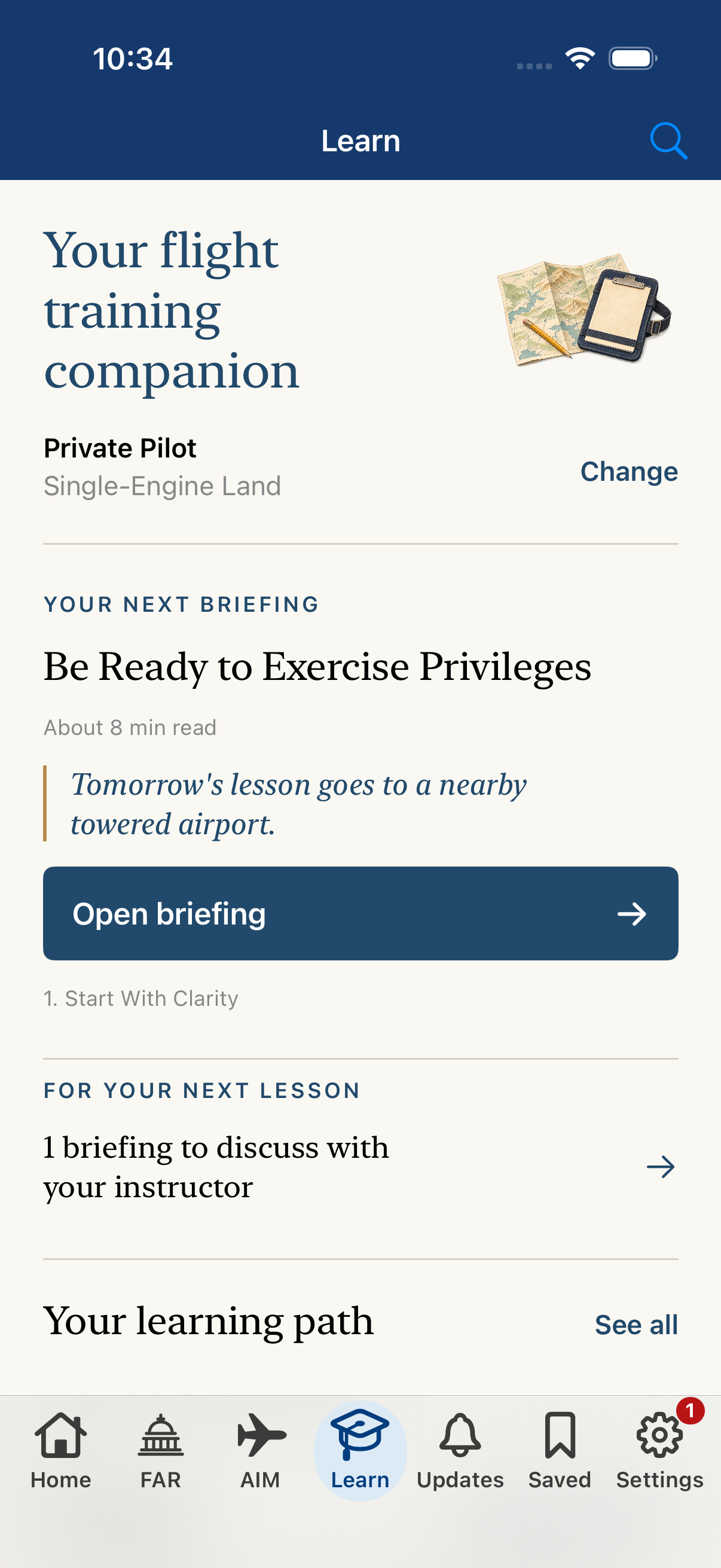
- A practical scenario connects the reading to a decision.
- Open the suggested briefing when you have a few minutes.
Read it. Think it through. Open the source.
Start with Your instructor briefing, then pause at What would you do? Think through the situation before moving on.
Under Read the source, tap a reference to open the FAR or AIM material in the app. Return to the briefing and use Explain it back to put the idea into your own words. One next step gives you something useful to follow up on.
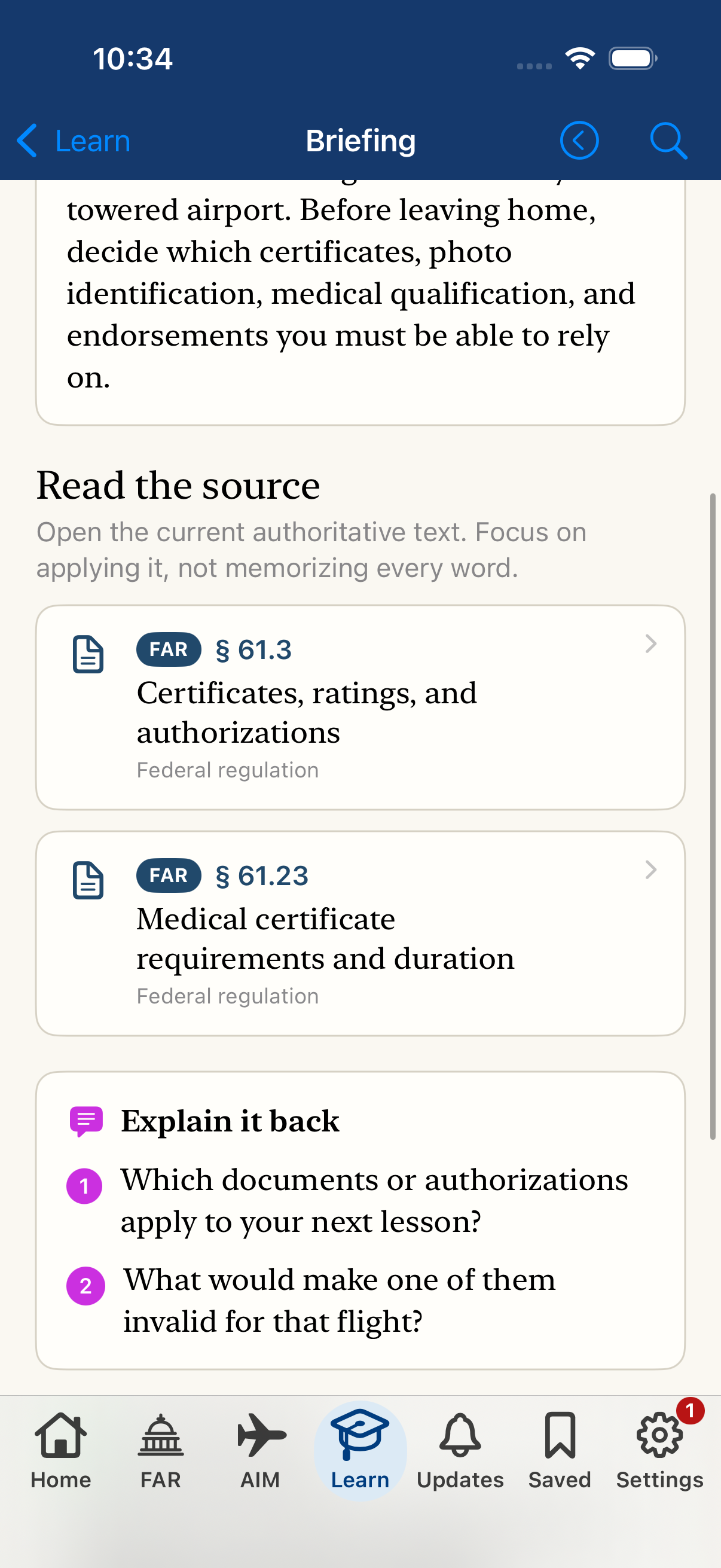
- Open a source reference to read the full regulation.
- Use these questions to put the idea into your own words.
Make uncertainty useful
Choose Review with my instructor at the end of a briefing to keep it in Instructor Review. Open that list from Learn when you’re preparing for your next ground session.
Saving a briefing for discussion doesn’t change its review progress. You can come back to the scenario and source together, then remove it from the discussion list when you’re ready.
If you instruct, use the scenarios and Explain it back questions to start a conversation. Choose the sequence and depth that fit your learner, aircraft, and local environment.
A little at a time still adds up
Mark this briefing reviewed records that you’ve worked through it. Return whenever you want another look, or tap Reviewed in Learn to mark it unreviewed again. A review mark records reading progress; it isn’t an endorsement or a proficiency assessment.
The briefings are included in the app and work offline. Source links use your downloaded FAR and AIM content, so check your downloads before leaving service.
Your path, focus, review progress, and Instructor Review list stay on this device. With sync connected, they can also follow you to devices using the same Apple Account. Settings → Learn Progress shows the sync status.
Use Learn alongside your instructor, applicable FAA standards, aircraft documents, and current flight information. Your instructor guides training and readiness decisions.
Your next lesson starts with a question.
Keep a good reference close.
FAR AIM for iPhone and iPad. iOS or iPadOS 18 or later.
One purchase. No subscription.
See your local price on the App Store.